



WordPress plugin Special Text Boxes

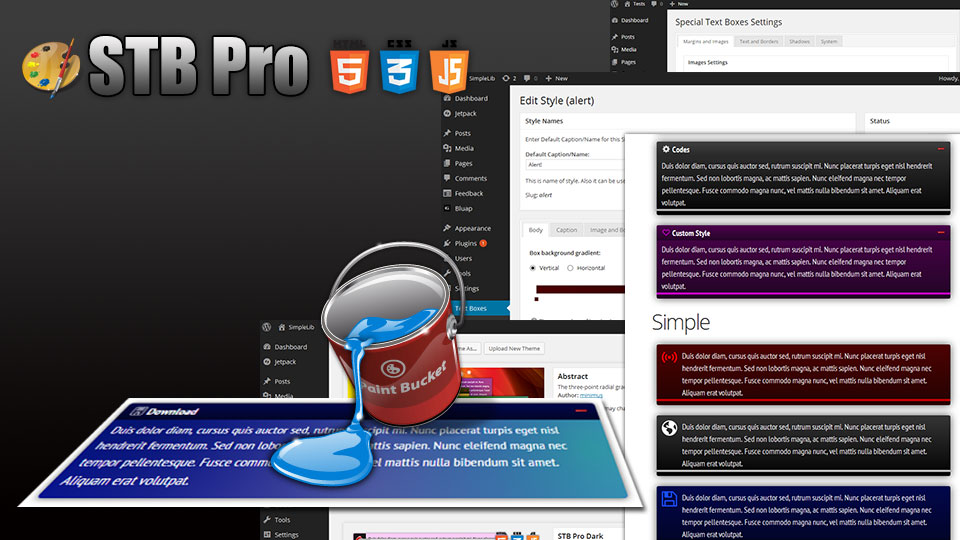
Special Text Boxes is very simple, very little and very useful WordPress plugin (for me and, I hope, for you). It adds little style sheet file and short code to blog for highlighting some portion of text in post as colored boxes. That may be warning, alert, info and download portion of post’s text.

(This post is available on russian language.)

Support Forum for this plugin.

Examples

CSS mode

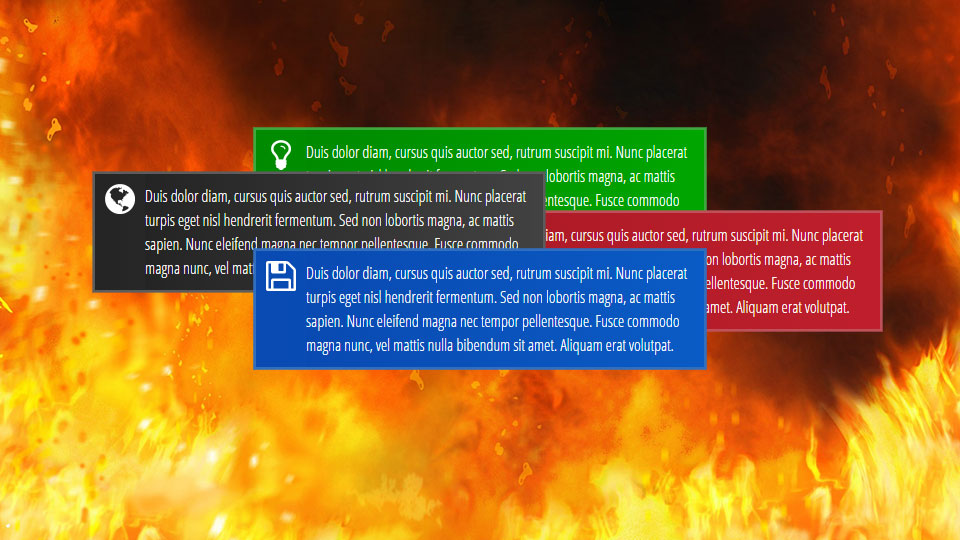
This is example of alert special textbox. This short code inserted with id “alert”. Highlighted text may be any length you need.
This is example of download special textbox. This short code inserted with id “download”.
Info Example
This is example of info special textbox. This short code inserted with id “info”.
 
جوجل
لإنشاء حساب جوجل ، انتقل إلى صفحة إنشاء حساب ، أدخل عنوان البريد الالكتروني الحالي واختيار كلمة مرور. بعد الانتهاء من التسجيل سوف تتلقى رسالة تأكيد بالبريد الإلكتروني. فقط انقر على الوصلة في أن البريد الإلكتروني لاستكمال عملية التحقق. [غوغل] حساب يتيح الوصول إلى مجموعة متنوعة من صور ، بما في ذلك تسجيل الدخول ، وسجل الويب ، بيكاسا ، وكثير غيرها.

Javascript mode

This is example of warning special textbox. This short code inserted with id “warning”. Inserting short code without ID will have same effect. ;)
This is example of Black box. This short code inserted with id “black”.
Info Caption
This is example of Info box. This short code inserted with id “info”.
 
جوجل
لإنشاء حساب جوجل ، انتقل إلى صفحة إنشاء حساب ، أدخل عنوان البريد الالكتروني الحالي واختيار كلمة مرور. بعد الانتهاء من التسجيل سوف تتلقى رسالة تأكيد بالبريد الإلكتروني. فقط انقر على الوصلة في أن البريد الإلكتروني لاستكمال عملية التحقق. [غوغل] حساب يتيح الوصول إلى مجموعة متنوعة من صور ، بما في ذلك تسجيل الدخول ، وسجل الويب ، بيكاسا ، وكثير غيرها.

Installation

  • Unpack plugin archive file.
  • Put plugin folder to WordPress wp-content/plugins folder.
  • Activate plugin on Admin page.

Settings

You can set border style, text shadow, box shadow and Allow or disable rounded corners for your special text boxes.

Available languages of Admin Panel:

If you want and can translate this plugin to your language, do it, and send me .po file by e-mail (minimus AT simplelib.com). Thanks.

Styles Repository

Starting with version 4.0.65 plugin allows you to have as many styles as you want. All styles are stored in the styles repository (database table) and can be customized to suit every taste. Styles fall into two categories: predefined (system and special) styles, and custom styles. The parameters of all styles can be changed by blog administrator. The difference is that the slugs (unique names) can be set only for custom styles. Slugs for predefined styles can not be changed.

Use this repository to customize existing and create new styles of blocks.

Usage

To embed special textbox to your post, use short code as this:

[stextbox id="defined_id"]Highlighted text and/or short code(s)[/stextbox]
OR
[stextbox id="defined_id" caption="Some Caption"]Highlighted text and/or short code(s)[/stextbox]

where defined_id may be alert, download, info, warning, black, custom and gray.
You can insert short code(s) of another plugin(s) inside wp-special-textboxes short code. For example:
[stextbox id="download" caption="Download"][download id="4"][/stextbox]
There is example of using Download Manager plugin short code with wp-special-textboxes plugin short code. The result of using this code construction you can see below in the Download section of this post.
Warning
Use Grey Box (id=”grey”) only for highlighting short codes of another plugins. Text Box with this id not parsing any short codes.

Customising “On The Fly”

This is example of customised alert special textbox. This short code inserted with id “alert”. This short code inserted with id “alert” and customised with short code options.
This is example of Customising on the Fly
This is example of customised alert special textbox. This short code inserted with id “alert” and customised with short code options.

Customisation Short Code Options:

  • color – body font color
  • ccolor – caption font color
  • bcolor – border color
  • bgcolor – background color (CSS mode) or start color of background gradient (Javascript mode)
  • bgcolorto - stop color of background gradient (Javascript mode only)
  • cbgcolor – caption background color (CSS mode) or start color of caption background gradient (Javascript mode)
  • cbgcolorto - stop color of caption background gradient (Javascript mode only)
  • image – full URL of pictogram image. Use null value as URL to disable image output
  • big – use this parameter in case plugin settings are different with your needs. May be true or false. CSS mode only.
  • mode – drawing mode (css|js)
  • float – turn on floating mode of Special Text Box. May be true or false.
  • align – alignment of box in float mode. May be left or right.
  • width – width of box in float mode (pixels)
  • collapsed – display STB in collapsed mode if collapse/expand mode enabled. May be true or false.
  • mleft – left margin in px.
  • mright – right margin in px.
  • mtop – top margin in px.
  • mbottom – bottom margin in px.
  • collapsing – allow/disable collapsing (default|true|false)
  • defcaption – allow using name of style as caption of block (true|false)
  • direction – language direction (default|ltr|rtl)
Short Code of Example Above
[stextbox id="alert" caption="This is example of Customising on the Fly" color="000000" ccolor="ffffff" bgcolor="f7cdf5" cbgcolor="f844ee" bcolor="f844ee" image="http://www.simplelib.com/wp-content/plugins/wp-special-textboxes/images/heart.png"]This is example of customised alert special textbox. This short code inserted with id “alert” and customised with short code options.[/stextbox]

You can use Insertion Dialog to insert short code to post. Just select text you needed and click “Insert Special Text Box” button.

Special Text Box anywhere in blog

You can use function stbHighlightText to output Box anywhere in your blog.

This function defined as

  • $content – text in the Box (string)
  • $id – ID of Box (string)
  • $caption – caption of Box if needed (string)
  • $atts – extended attributes of Box (array)

  • color – body font color (six HEX digits of color without # as string)
  • ccolor – caption font color (six HEX digits of color without # as string)
  • bcolor – border color (six HEX digits of color without # as string)
  • bgcolor – background color (CSS mode) or start color of background gradient (Javascript mode) (six HEX digits of color without # as string)
  • bgcolorto – stop color of background gradient (Javascript mode only) (six HEX digits of color without # as string)
  • cbgcolor – caption background color (CSS mode) or start color of caption background gradient (Javascript mode) (six HEX digits of color without # as string)
  • cbgcolorto - stop color of caption background gradient (Javascript mode only) (six HEX digits of color without # as string)
  • image – full URL of pictogram image. Use null value as URL to disable image output (string)
  • big – use this parameter in case plugin settings are different with your needs. May be true or false (boolean as string). CSS mode only.
  • mode - drawing mode (css|js)
  • float – turn on floating mode of Special Text Box. May be true or false. (string)
  • align – alignment of box in float mode. May be left or right. (string)
  • width – width of box in float mode (pixels) (string)
  • collapsed – display STB in collapsed mode if collapse/expand mode enabled. May be true or false. (string)
  • mleft – left margin in px.
  • mright – right margin in px.
  • mtop – top margin in px.
  • mbottom – bottom margin in px.
  • collapsing – allow/disable collapsing (default|true|false)
  • defcaption - allow using name of style as caption of block (true|false)
  • direction - language direction (default|ltr|rtl)
  • level – nesting level of the block. Only Javascript mode. Allows you to defer the drawing of the indoor block as long as parent block will be drawn. (0|1)
  • shadow – enables/disables shadow of block vs default settings

You can partially define atts array (version 2.0.22+). For example:

or

In this example the image of block was redefined as “wp-b.png” image and this one was defined as big image.

Inserting Special Text Box into Special Text Box

If you want insert one STB to another, you can use additional short code “stb“. For example:

[stextbox id="info" defcaption="true"]Some text[stb id="download" defcaption="true" collapsing="false"]Some text in the indoor box[/stb][/stextbox]

CSS mode

Info
Some text
Download
Some text in the indoor box

Javascript mode

Info
Some text
Download
Some text in the indoor box

Special Text widget

Special Text widget wrote with using WordPress Widget Factory technology and this one can work only under WordPress 2.8 and higher
Special Text widget

Special Text widget. Admin Page

Use PHP tags for inserting PHP codes in PHP evaluation mode.

Download

Special Text Boxes
Highlights any portion of text as text in the colored boxes.

Author: minimus, version: 4.3.72, updated: February 13, 2012,
Requires WP version: 3.0 or higher, tested up to: 3.3.2.
Download (66 251 hits) (32 votes)

Tests

Tested under Windows
1. Internet Explorer 7..9
2. Mozilla FireFox 3 .. 9
3. Opera 10.0 .. 11.52
4. Google Chrome 1.0.154.53 .. 15.0.874.121
5. Apple Safari 3.1.2 .. 5.1.1

Awards

5 starsFamous Software Download

© 2009 – 2013, minimus. All rights reserved.


Popularity: 97%

About minimus

Programmer

Comments

  1.  
    Hello! Thank you for this plugin! Its realy very good!
    But I have a wish. Сan you make opening and closing of the block by click on the title? or is it done? If it’s done how can I use it?
     

    Total Comments by Alex: 2

  2. Hello! When will be the update?
    Total Comments by Mike: 2

  3. I like the look of the new version, however the new version doesn’t render inside the wordpress post tabs plugin anymore. I assume it’s because of javascript. This conflict will likely kill many uses for your users who are trying to use special text boxes inside other plugins. Can this be fixed somehow?
    http://wordpress.org/extend/plugins/wordpress-post-tabs/
    Total Comments by dgodfather: 10

  4. Hey Minimus,

    Using your plugin on a couple of blogs, been very impressed with the last few round of updates, you’ve really taken it up a notch. On one blog though I found the latest update stopped the short code tags working altogether. The plugin backend functions fine and it doesn’t hinder any blog functionality it just doesn’t add the text box styling in to pages/posts.

    Any ideas or can a way to contact you to go through see if we can find the bug? 
    Total Comments by Craig: 2

  5. Love the plugin! Good Stuff
    the text and graphics on the right hand side of the javascript dropdown box is overlapping to the post with outside of the box. take a look at the second box on the sticky post. tnx
    http://bootsnslippers.com/
    Total Comments by eDave: 20

  6. When I upgraded to the latest version of WordPress, or maybe it was when I upgraded the SPT plugin, Special Text Boxes stopped working.  Thanks for any help you can provide.
    Total Comments by Rick: 3

  7.   Sorry, I meant to say   STB    no   SPT    
    When I upgraded to the latest version of WordPress, or maybe it was when I upgraded the SPT plugin, Special Text Boxes stopped working.  Thanks for any help you can provide.
    Total Comments by Rick: 3

    • FIXED, please disregard my previous comments.  Special Text Boxes magically reappeared and everything looks beautiful.  I think the problem was that after the upgrade I needed to change the settings for Special Text Boxes and I changed them BUT . . I didn’t see the changes right away because the server at my website host was caching the page and showing me the old version, then a day later I am now seeing the new version.
      Total Comments by Rick: 3

  8. This plugin just work wordpress 2.8, not to wordpress 3.3.1?
    Total Comment by Sholeh: 1

  9. Hello, I appreciate so much your work, however since the last version of STB and WordPress, the javascript button in TinyMCE does not work any more. Did you already encounter the problem ?

    Total Comment by Florian: 1

  10. Hi there,
    Is there any way to alter the font of the Title in the special text box?
    Thanks!
    Omma 
    Total Comments by Omma: 3

    • Parameters->Javascript for js mode

      • Thanks for this. I think I found a way to do it that works with the boxes I have (not the javascript ones) – in the ‘Special Text Boxes > Settings > CSS tab’ there is an option to change the font of the caption :-)
        Total Comments by Omma: 3

  11. Hi, 
    love the plugin but I have an Opera only issue with it (works fine with FireFox). When I click on the TinyMCE, the code is automatically entered twice, like this:

    Info
    MyText.
    Info

    I can manually remove the second part and then it’s fine but I though I let you know anyways. 
    Total Comments by crinrict: 2

    • Since the code was replace in the previous post, I added some spaces so you see how it looks in my Visual Tab. 
      [st extbox id="info" defcaption="true"]Das Bild wurde anonymisiert. Bild und Name des Sims sind weiterhin vorhanden.[/st extbox] [st extbox id="info" defcaption="true"][/st extbox] 
      Total Comments by crinrict: 2

  12. Hi Minimus, any updates about why 4.2.70 breaks the shortcodes of the MP3-jPlayer plugin?
    http://forum.simplelib.com/showthread.php?572-STB-4.2.70-breaks-shortcode-for-plugin-MP3-jPlayer
    Thanks!
    Peter
    Total Comment by Peter: 1

  13. Hi, since a few Weeks STB gives me, when i click on the icon, in the Cofigurationwindow only an Internal Server Error. See Screenshot

    What can i do?
    Thy for help!
    Total Comment by tribun: 1

  14. any way to get white space into caption”

    example…

    Chapter 1        In the Begining      

    instead of

    Chapter 1 In the Begining


    Total Comment by terry: 1

  15. This is a great plugin, thank you! I’ve made interesting use of it for a formatted Specials Board, by modding the CSS outside the plugin. However I’ve put in text links and they don’t appear clickable- why is this? Can it be fixed?
    Thanks again,  –Liz 
    Total Comments by Liz: 2

  16. Oh I found it! It was my use of floats. Works great now! –L
    Total Comments by Liz: 2

  17. Hi there, 

    I have installed the plugin, put the settings, put it the short codes in a page: I get show the text box itself, but the opening/closing by using the arrow on the right does not work, as if it was not clickable… any idea why this could have happened.. running on latest version of WordPress and latest version of chrome.. 

    Many thanks

    Carsten 
    Total Comments by Carsten: 2

  18. Hi there, 

    big issue: Since I had once activated this plugin, suddenly all my main menu texts have been added a SHADOW! — which realldy dont need…  the CSS seems fine, I cannot find any shadow addings there in the font style (like a text decoration).. PLEASE HELP – WHERE has this plugin being able to cause this?  Also deleting the Plugin has not resolved this issue.. 

    Many thanks! Carsten 
    Total Comments by Carsten: 2

  19. Hi there,
    Such a great plugin, I use it a lot.
    I am having trouble using it with Suffusion in the left-hand sidebar.
    Can you tell me if there is a way to use this plugin for a sidebar in the Suffusion theme without breaking the footer? At the moment, it pushes the footer to the far right.
    Thanks! 
    Total Comments by Omma: 3

  20. Hi Minimus.

    I’m trying to get the CSS mode working but it doesn’t want to display correctly.
    The javascript method displays fine.
    The code I am using us:

    Why eScribe?
     
    text here

    Here is a screen capture of the result showing js at top and css at bottom:
     

    Hopefully this image can be seen.

    Regards
    Iain 
    Total Comments by Iain: 2

  21. Hello, I am encountering a problem with this plugin, it works perfectly, but I need it enters the screen with the option closed, so when you click the “+” it expands and opens the text, anyone know how to do this?
    Total Comment by Anderson: 1

  22. I have just moved a site to a new domain and copied all the data files etc.
    My big problem is that the special text boxes which I was using on the old site have not copied across. Nothing shows at all in published mode.
    I am not sure, but in the ‘styles’ settings there used to be an image showing in the list (old site), now it only shows the word instead. ie, instead of showing the image for ‘info’ it now just says ‘info’!
    I have tried uninstalling and reinstalling, but nothing changed.
    How do I get the box back along with the images?
    Many thanks for assistance.
    Andy
    Total Comments by Andy: 2

  23. Great plugin, works perfectly.  Only thing I can’t seem to alter is the font style of the caption.  I was able to change the size and font family in Javascript, but I can’t figure out how to UNBOLD the caption.  I do believe it is bolded (or possibly a background shadow in the same color).  this is only an issue in the caption.  Any help would be greatly appreciated.
    Total Comment by kelly: 1

  24. hello, can you tell me why its not showing text shadows in IE9?
    text shadows show up fine in the other 4 browsers..
    I’m using css mode but have tried all 3..
    no dice.
    im guessing a simple fix..
     
    Total Comment by jason: 1

  25. Hello Minimus,
    Today i received a announcement from my hosting that this script is caused of overload server wp-plugins/wp-special-textboxes/css/wp-special-textboxes.css.php
    Could you please take a look to find out what’s happend?
    p/s: i’m using lastest version of theme and plugin.
    Regards,
    Tuan Vo.
    Total Comment by Tuan Vo: 1

  26. very nice and useful plug in. but just one question, will it affect SEO? what will happen to those texts inside the codes..
     
    thanks!
    Total Comment by BON: 1

  27. This is a good plugin that highlights the text. I could do with something like this. 
    Total Comment by Shalu: 1

  28. Is there any way I can put columns into a box so I have to parallel lists. This is what I have now but it doesn’t form the columns just shows the short code for them.

    [one_third last="no"]
    <ul>
        <li>Newspapers</li>
        <li>Magazines</li>
        <li>Books</li>
        <li>Textbooks</li>
        <li>Appliance Manuals</li>
        <li>Prescription Labels</li>
    </ul>
    [/one_third]
    [one_third last="yes"]
    <ul>
        <li>Forms at a Doctors’ Office</li>
        <li>Employment Applications</li>
        <li>Drivers’ License Exam</li>
        <li>Voting Ballots</li>
        <li>Birthday Cards</li>
        <li>The Internet</li>
    </ul>
    [/one_third]

    Total Comment by Ryan: 1

  29. jazzymoods says:

    Hello,
    I have implemented this great plugin on a page that takes some time to load because of an image slider. Problem: I see the content of textbox first, and after some time I get the collapsed visual mode and the txt disappears. How can I make the text unvisible until the plugin is fully loaded? tried visibility=hidden in a div but then it stays invisible forever. Where can I switch the CSS or something to visibilty:visible as soon as the plugin is full loaded?
    Thank you
     
    Total Comment by jazzymoods: 1

  30. hello, i have problem with Special Text Box. stop working in my blog, when i add new post and click insert special text box, its show me white empty box.
    any suggest please ? the plugin very importent to me.

    Total Comment by Ayman: 1

Trackbacks

Speak Your Mind

*